Send windows
Learn how to control when notifications are delivered using send windows.
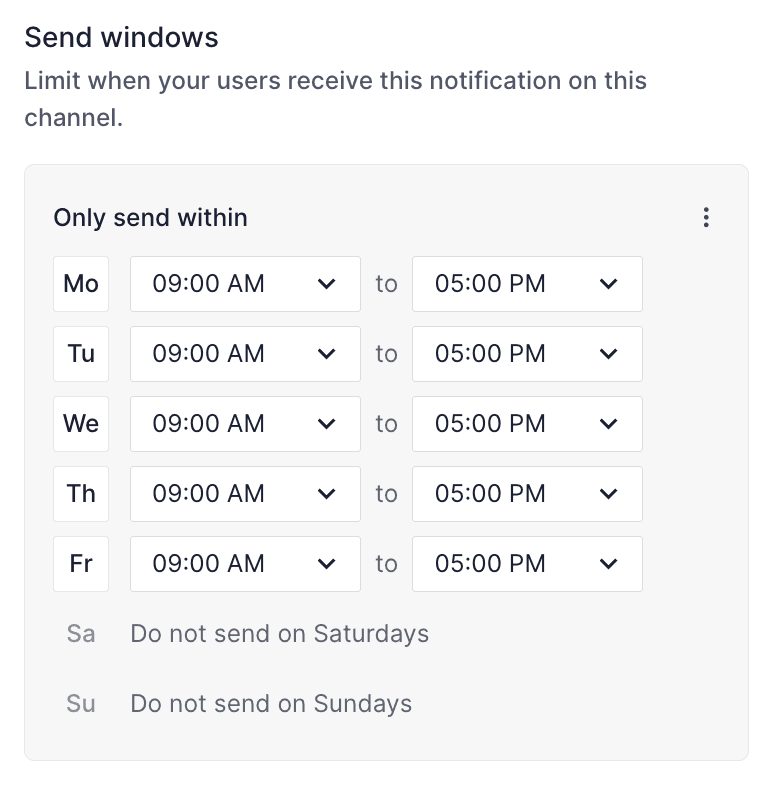
You can use send windows to specify when a channel step should send a message. For example, if you want to ensure your customers don’t receive a given transactional email from your product outside of working hours, you can set send windows for Monday - Friday, between 9:00 a.m. and 6:00 p.m. local user time.
Messages generated outside of this window will be queued until the next open window, at which time Knock will resume delivery to the downstream provider.
Send windows are evaluated in the recipient's timezone (when set), specified by the user timezone property. If the recipient's timezone is not set, Knock falls back to the account default timezone, or Etc/UTC.
For push channels, a device-level timezone takes precedence over the recipient's timezone when evaluating send windows.
Modeling send windows
#Knock models send windows as a list of send window objects. Each day must have 1 send window specified.
The send window object has the following properties:
In our JSON representation this will look something like:
The send windows editor
#When creating or modifying a channel step, you can use the send window editor to configure send windows. If notifications are enabled for a given day of the week, you can also specify the time range during which messages will be sent on that day.